VetAproape: available veterinarians and the animal's record
An app for Romania, for dogs and cats, built by Quayline under a separate brand
When an animal has a problem, the owner hurriedly looks for an available vet and, most of the time, cannot find the vaccination booklet, the old test results or the microchip number. The vet starts the consultation without any history.
VetAproape brings the two sides together in one app. The owner sees which vets are available now, at the clinic or by video, and keeps the animal's whole record on their phone. The vet has their own calendar, sets availability with one button and, when needed, moves from the video consultation to an appointment at the clinic.
Where this work standsBuilt prototype: a working web app with fictional data. It has not been launched publicly, has no registered vets yet and payments are not active.
The site and the demo use fictional data. Please do not enter real data.
The app
What the app looks like
Real screens from the prototype (sample data).
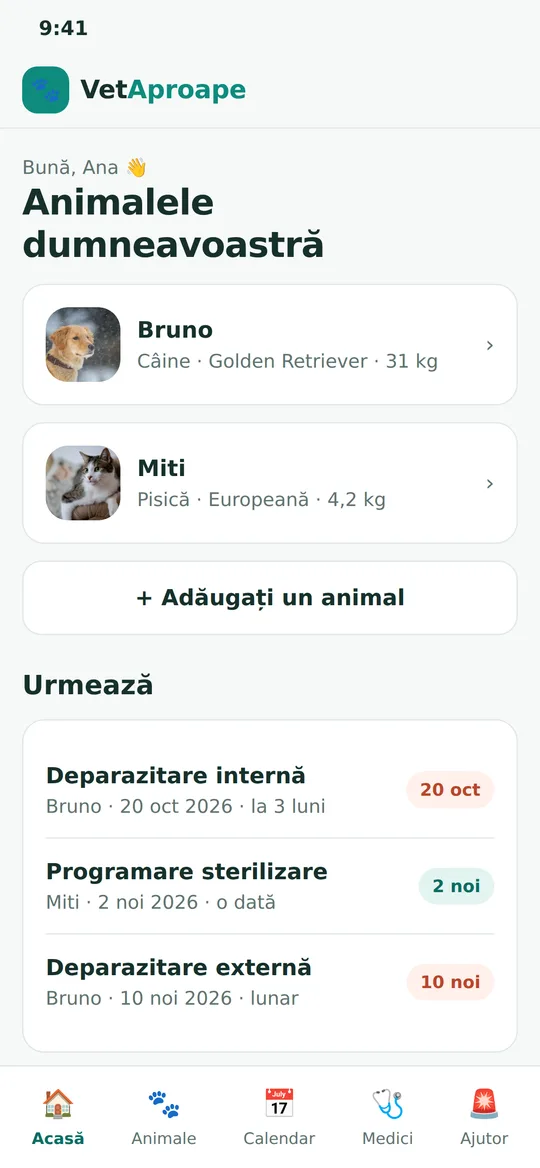
Pets and what's next 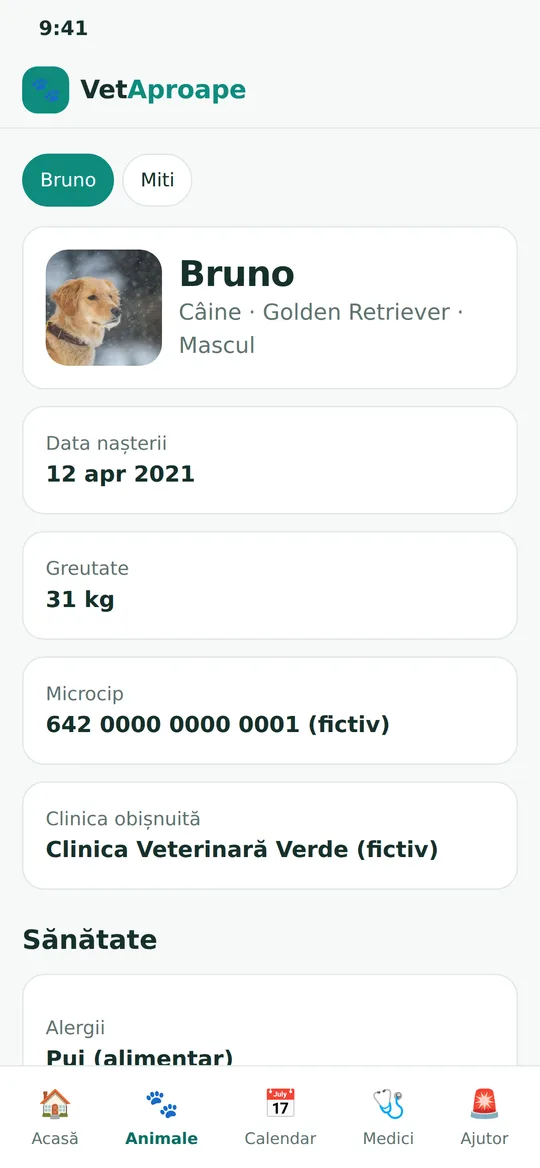
The pet's record 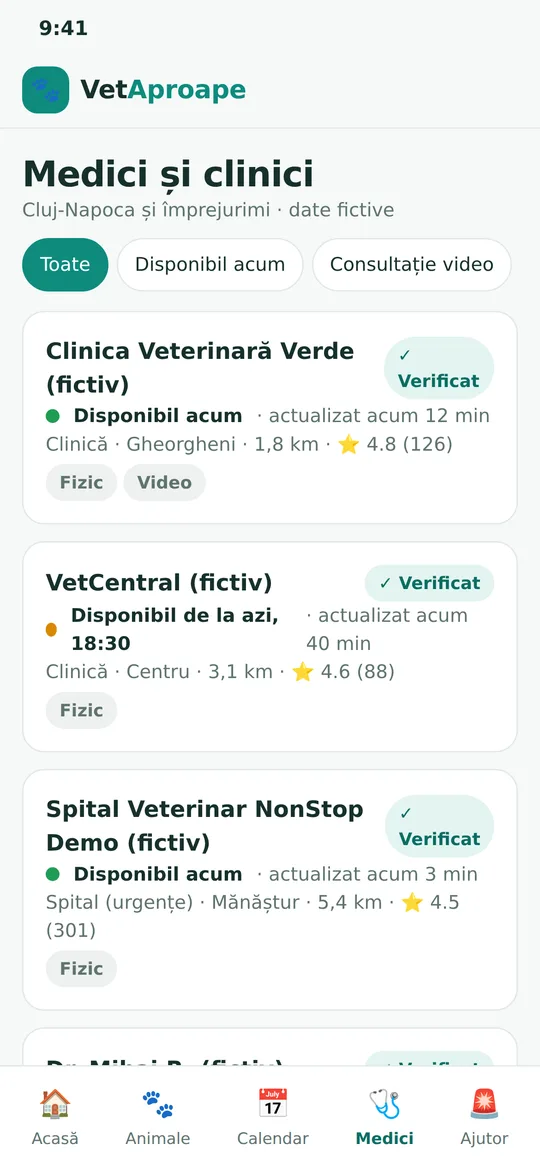
Vets available now 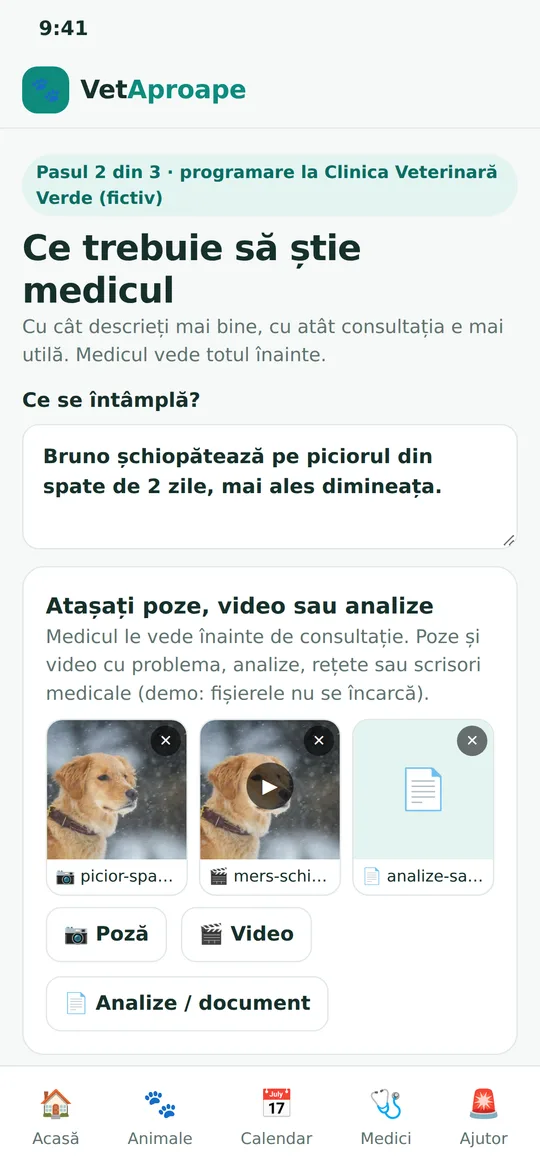
Photos and video for the vet 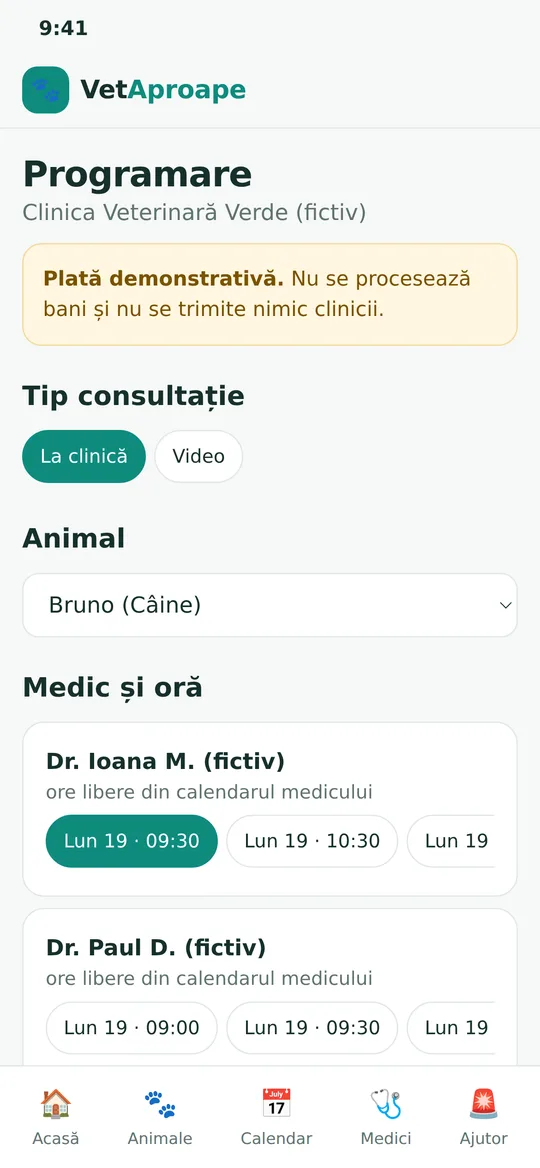
Booking at the clinic 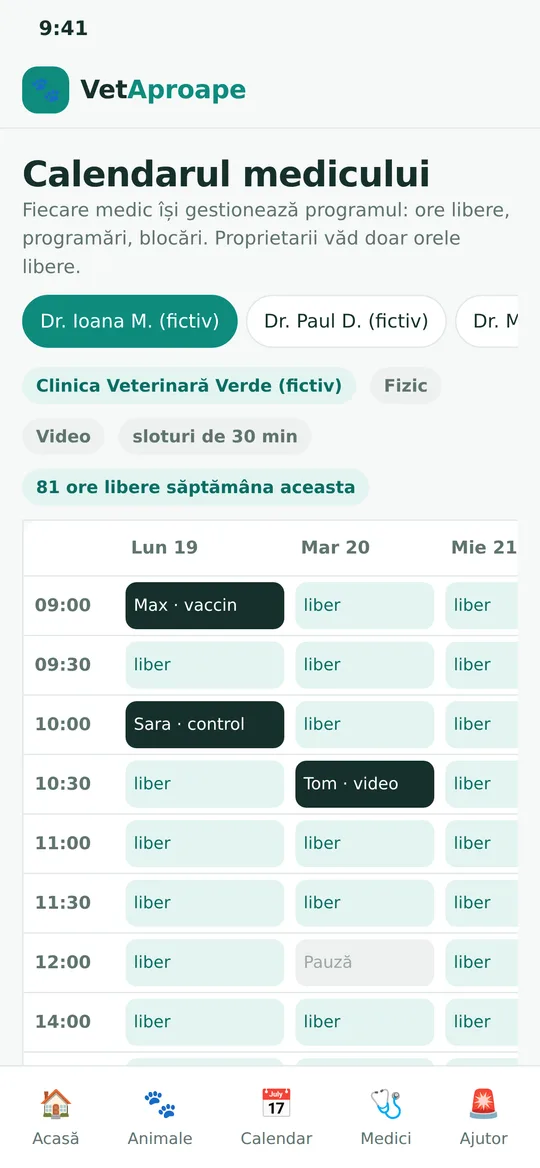
The vet's calendar
The problem
Where the time goes
The information about the animal exists, but it is scattered, and finding an available vet depends on phone calls made at random.
- Vaccination booklet, test results and pedigree stay on paper or in the phone's gallery
- The owner calls clinics one after another to find out who is available
- The vet receives the patient without history and without photos or clips of the problem
- The online consultation and the clinic visit are treated as two separate things
- The vet's appointments are kept in a notebook or in messages
The workflow
How it works
The steps in the prototype, from the problem to the consultation.
The animal's record
The owner adds the animal, its history, scanned test results, vaccination booklet, pedigree and microchip number.
Available vets
The app shows the vets available now or later, at the clinic or by video.
What the vet needs to know
The owner describes the problem and attaches photos, clips or test results before the consultation.
Video consultation
The vet sees the history and the attached material and talks to the owner by video.
Clinic appointment
If a physical examination is needed, the vet books the visit directly in their own calendar.
Updated history
The consultation, the treatment and new documents stay in the animal's record.
Diagram: the owner fills in the animal's record, chooses an available vet, attaches material, has a video consultation and, if needed, a clinic appointment; the history is updated.
What it shows
What the prototype demonstrates
The working parts of the prototype, grouped by who uses them. Everything shown is demonstration work with sample data.
For the owner
- Searching for available vets, at the clinic or by video
- The animal's record: history, test results, booklet, pedigree, passport, microchip
- Photos and clips attached to the consultation request
- Reminders for vaccinations and deworming
For the veterinarian
- Availability set with one button: now, scheduled or unavailable
- Own calendar of appointments
- Moving from the video consultation to the clinic visit
- Patient history visible before the consultation
For the clinic
- An overview of all vets' appointments
- Record of consultations and payments received, in the demo
The prototype shows the complete flow. Payments, vet verification and the public launch are next steps, not things already built.
Example data only. The vets, clinics, animals and owners in the demo are fictional, created for this prototype.
Honest limits
What it is not
Stated plainly, because it matters more than any description of the features.
- It has not been launched publicly and has no real vets or users yet.
- Payments in the demo are simulated: no real money moves.
- It does not replace a clinical examination and is not an emergency service: in an emergency, the owner goes to the nearest clinic.
- It is not built on the data of any clinic or any owner: everything shown is fictional.
Discovery
What we would need to look at with you
If you have an app idea for your customers, in a diagnostic session we would answer questions like these before writing any code.
- Who uses the app and what it must solve in the first minute.
- What information must already exist when the interaction starts.
- How the move from online to a physical meeting works.
- Which data is sensitive and how we protect it.
- What we build in the prototype and what we leave for later.
How we start
How a project like this would begin
We do not ask you to change anything at the start. We begin with a conversation and one process.
A free 30-minute conversation
You tell us where time is lost in your company. We tell you honestly whether we can help.
A diagnostic session
Half a day with the people who do the work. We follow one process from the first step to the last.
A small pilot with one team
We build for a single team and run it alongside your current process. We go further only if it helps.
Next step
Bring us one process
You do not need a specification or a plan. A description of how the work happens today, and where it costs the most time, is enough to start a conversation.