Bord: one system for restaurants, cafes, shops and hotels
Bord, from Quayline: till, stock, own orders and hotel, in a single system
A venue usually has its till in one program, its stock in another, online orders in the delivery platforms' apps and invoices in a fourth place. The same information gets retyped from one program to the next, and the end of the month shows what that cost.
Bord brings it all into a single system, for restaurants, cafes, pizzerias, pastry shops, shops and hotels. An order taken at the table reaches the kitchen and the bar, stock is deducted by recipe, a supplier invoice received in e-Factura becomes a goods receipt note (NIR), and the owner sees the reports on a phone.
Where this work standsQuayline's own product, under a separate brand, presented at bordapp.ro. The packages are Bord Standard and Bord Premium. We do not publish prices: request an offer at contact@bordapp.ro.
For an offer: contact@bordapp.ro.
The system
What Bord looks like
What Bord looks like on the till, on the waiter's phone and in the ordering app.
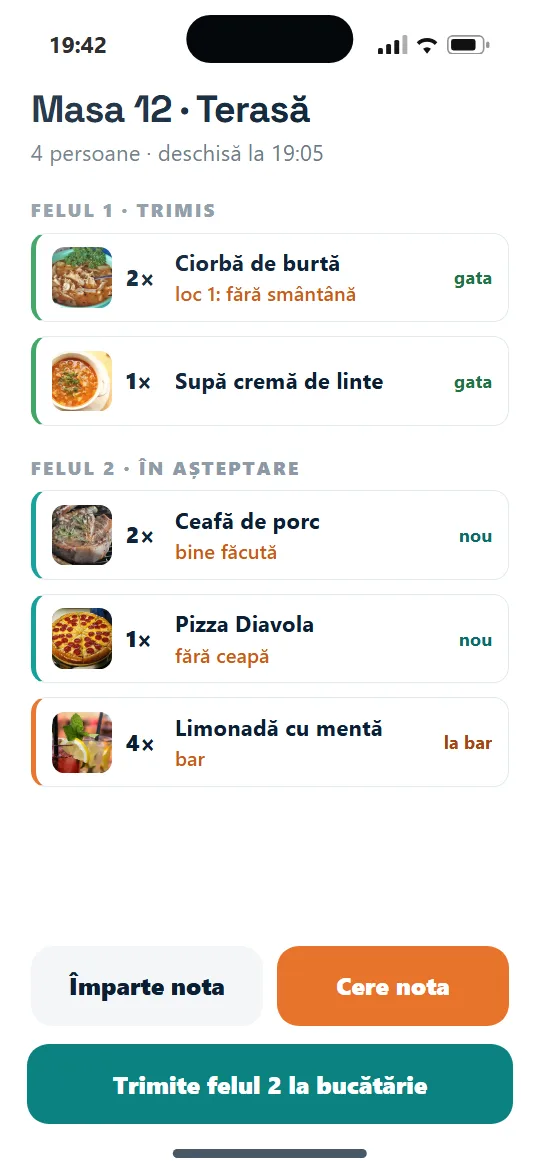
A table's order, on the waiter's phone 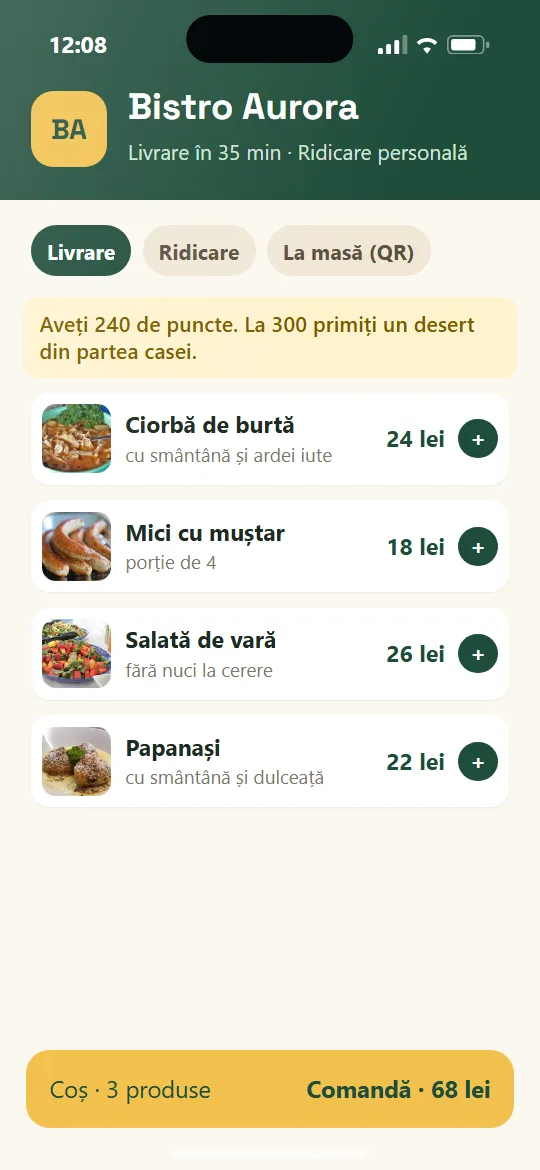
Ordering app under the venue's own brand 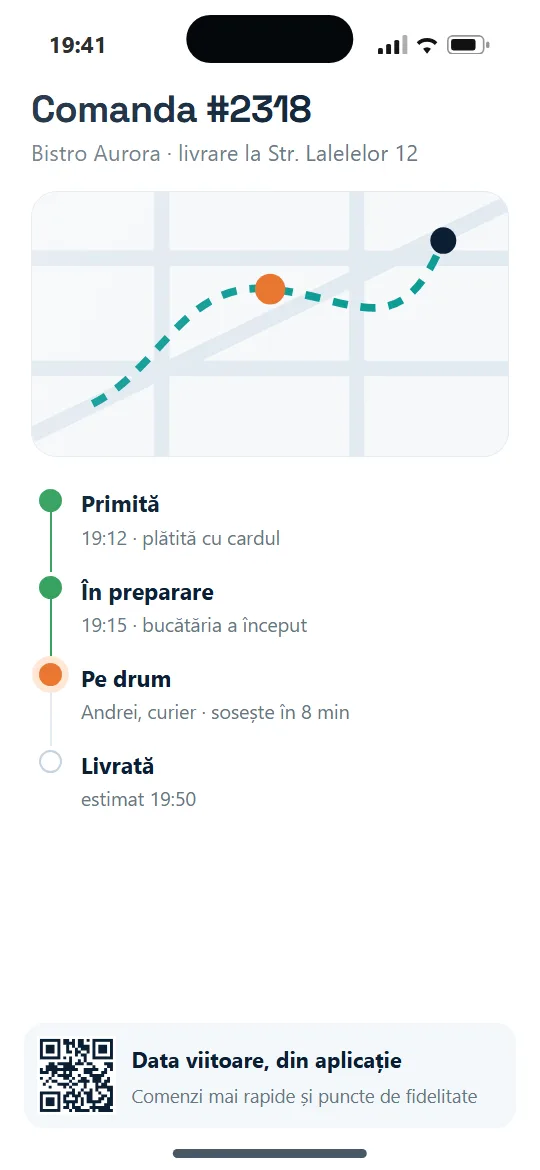
Order tracking on the phone
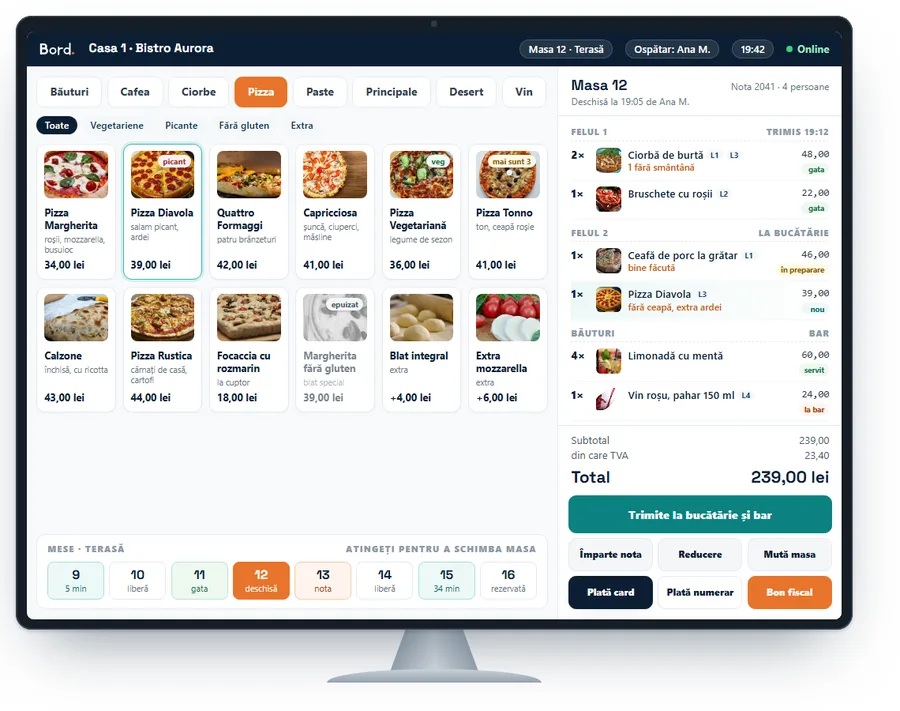
Bord POS till on a touch monitor 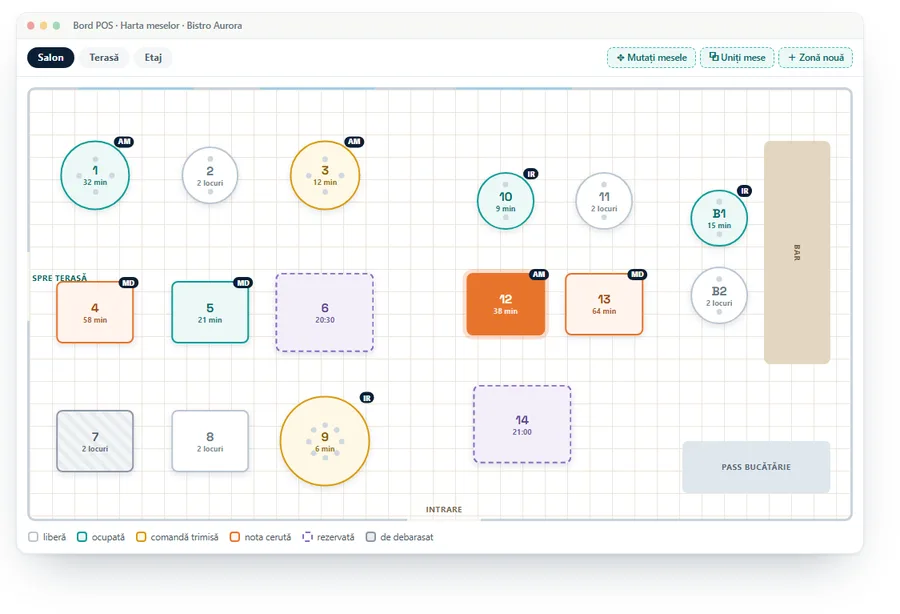
Table plan
The problem
Where the time goes
The data on sales, stock and invoices exists, but it is split across several programs.
- The till, stock, delivery orders and accounting sit in different programs
- Stock is deducted by hand or not at all, and recipes are not tied to sales
- Supplier invoices are keyed in by hand, then the goods receipt note is made separately
- Orders from delivery platforms are retyped or kept on a separate tablet
- The owner learns the figures late, from the accountant or a notebook
The workflow
How it works
From the order taken at the table to the report on the phone.
Order at the table
The waiter takes the order in the Android app, on the table plan.
Kitchen and bar
The order reaches the kitchen and bar screens, each showing only its own items.
Bill and payment
The Bord POS till closes the bill and issues the receipt, even without internet during service.
Recipe-based stock
Each sale automatically deducts the recipe's ingredients from stock, with batches and expiry dates.
Suppliers and invoices
Invoices received in e-Factura become a goods receipt note (NIR) automatically, and sent invoices go out after the finance manager approves them.
Reports on the phone
The owner sees sales, stock, time sheets and tips on a phone.
Diagram: an order taken at the table reaches the kitchen and the bar, the bill is closed at the till, stock is deducted by recipe, invoices from e-Factura become goods receipt notes, and reports are viewed on a phone.
What it covers
The four Bord components
The components of the system, grouped by what they solve.
Bord POS
- Till and waiter app on Android
- Table plan
- Screens for the kitchen and the bar
- Works without internet during service
Bord Central
- Recipe-based stock with automatic deduction
- Batches and expiry dates, with alerts
- Suppliers and automatic goods receipt notes (NIR) from invoices received in e-Factura
- Invoices sent to e-Factura after the finance manager approves
- Time sheets and tips
- Reports on the phone
Bord Go
- Ordering website and app under the venue's own brand
- Delivery and pickup
- 0% commission on own orders
Bord Hotel
- Room plan
- Website with rooms and direct booking
- Room service charged to the room
Bord connects to Glovo, Wolt and Bolt Food, fiscal printers, payments and accounting software. It is offered in the Bord Standard and Bord Premium packages, with no public prices: request an offer.
Honest limits
What it is not
Stated plainly, because it helps a better decision than any list of features.
- We do not publish prices: the offer is set for each venue, on request.
- What the Bord Standard and Bord Premium packages include is discussed when the offer is made.
- The names of platforms, suppliers and accounting programs belong to their owners; Bord is not a product of theirs.
Discovery
What we would need to look at with you
If you want a system adapted to your venue, at the diagnostic we would answer questions like these before configuring anything.
- What kind of venue you have and how many points of work.
- Which programs and platforms you use now and what stays in use.
- Who approves invoices and who sees the reports.
- What must keep working without internet.
- What we start with now and what we leave for later.
How we start
How a project like this would begin
We do not ask you to change anything at the start. We begin with a conversation and one process.
A free 30-minute conversation
You tell us where time is lost in your company. We tell you honestly whether we can help.
A diagnostic session
Half a day with the people who do the work. We follow one process from the first step to the last.
A small pilot with one team
We build for a single team and run it alongside your current process. We go further only if it helps.
Next step
Bring us one process
You do not need a specification or a plan. A description of how the work happens today, and where it costs the most time, is enough to start a conversation.